
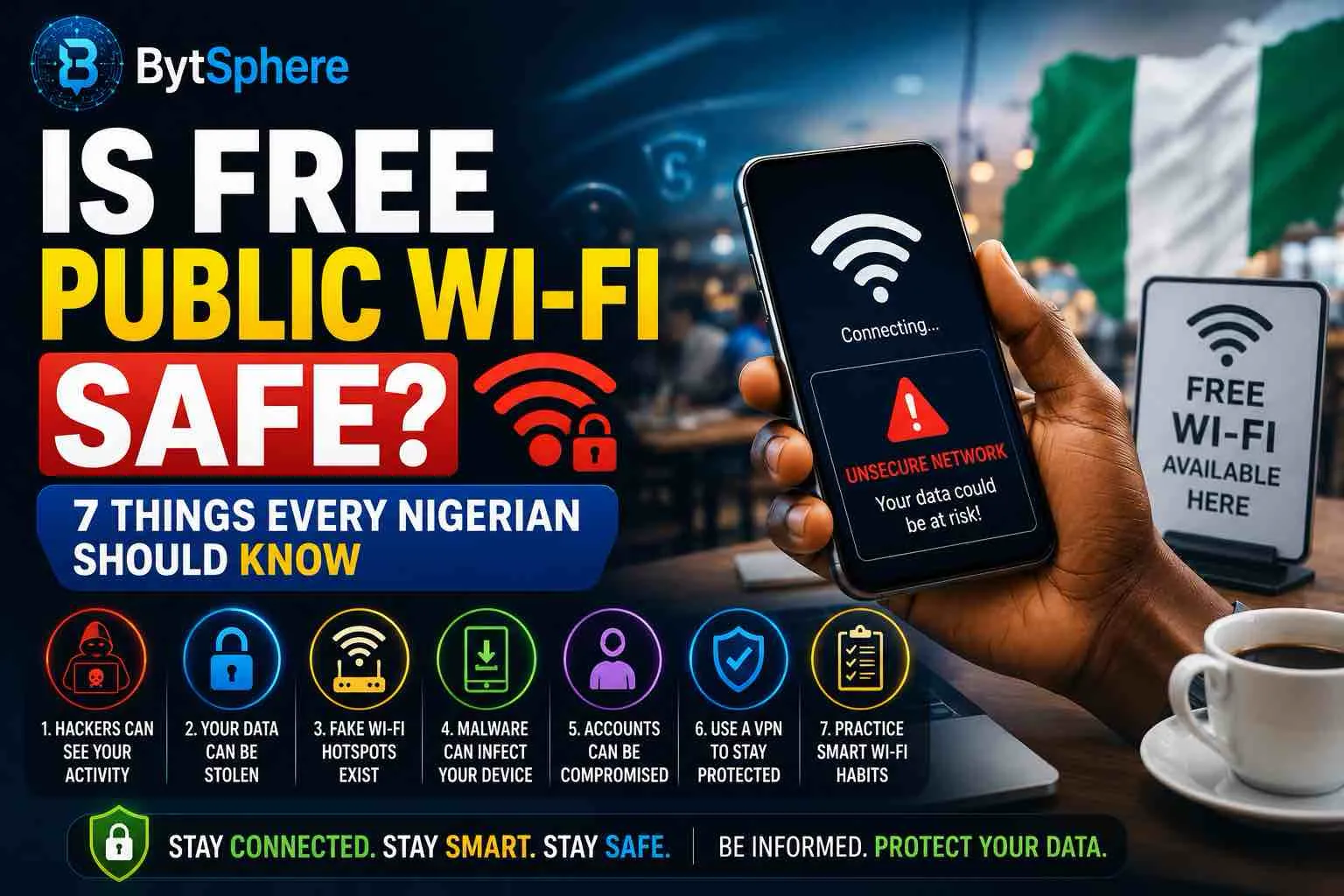
Free public Wi-Fi is everywhere in Nigeria in 2026 — airport lounges, university campuses, shopping malls, cafés, restaurants, banks, and government buildings all now offer it as a standard amenity. With mobile data prices still a significant concern for most Nigerians, the temptation to connect and save your data bundle is understandable.
📋 Table of Contents
- The Nigerian Public Wi-Fi Landscape in 2026
- Thing 1 — Public Wi-Fi Is Not As Dangerous As It Once Was (But Still Has Real Risks)
- Thing 2 — The Biggest Threat Is Fake Hotspots, Not Hackers on the Same Network
- Thing 3 — Your BVN, Bank App & OTPs Are the Real Targets
- Thing 4 — Man-in-the-Middle Attacks Are Real and Still Happening
- Thing 5 — Your Phone's Auto-Connect Feature Is a Security Risk
- Thing 6 — A VPN Is the Single Most Effective Protection
- Thing 7 — Some Activities Should Never Happen on Public Wi-Fi
- Quick Safety Checklist Before You Connect
- Frequently Asked Questions
But here is the uncomfortable truth: a 2023 Forbes Advisor survey found that 40% of travellers had their security compromised while using public Wi-Fi. And nearly 60% of global users access personal email over unsecured public Wi-Fi connections. In Nigeria — where cybercrime losses run into billions of naira annually — connecting without understanding the risks is a genuine financial and personal security threat.
This guide gives you the honest, factual picture on public Wi-Fi safety in 2026 — what the real risks are, what has changed, and exactly what to do (and not do) when you connect.
Thing 1 — Public Wi-Fi Is Not As Dangerous As It Once Was (But Still Has Real Risks)
The first thing to understand is that public Wi-Fi security has improved significantly over the past five years — and much of the advice you'll find online is based on a threat landscape from 2015, not 2026.
Most reputable websites now encrypt data using HTTPS, which helps protect information as it travels between your device and the website. Mobile apps and online services have also become more security-conscious, making basic online activities safer than they were a decade ago.
What this means practically is that simply browsing news websites, watching YouTube, checking social media, or reading emails on public Wi-Fi is far less risky than it was five years ago — because most of that traffic is now encrypted end-to-end.
What has NOT changed:
- Unencrypted public networks (no password, or WEP-only password) still expose raw traffic to anyone on the same network
- Most routers have encryption capabilities — but it needs to be enabled through router settings, as encryption is turned off by default. Not everyone knows this, so public Wi-Fi networks are often left unencrypted.
- Fake hotspots designed to mimic legitimate networks remain a significant and growing threat
- Banking apps, OTP interception, and session hijacking remain real risks on poorly configured networks
Thing 2 — The Biggest Threat Is Fake Hotspots, Not Hackers on the Same Network
This is the most important shift in the public Wi-Fi threat landscape in 2026 — and the one most Nigerian users don't know about.
The old narrative was: a hacker sits at the same café as you, connects to the same Wi-Fi, and passively intercepts your data. While this type of attack (called a Man-in-the-Middle attack) still exists, the biggest security concern today may not be the Wi-Fi network itself. Cybercriminals understand that most people are in a hurry. They know travelers are looking for connectivity. They know users have become accustomed to clicking through prompts without reading them carefully. That's why fake hotspots, misleading network names, and social engineering tactics continue to be effective.
The modern attack is called an Evil Twin attack: criminals create a fake public Wi-Fi hotspot that resembles the real thing. For instance, they might create an access point called "Airport_StarbucksWiFi." The fake hotspot looks normal but allows threat actors to distribute malware and hijack connections.
In a Nigerian context, imagine connecting to what you think is "MallOfAfrica_Free_WiFi" at your favourite Lagos shopping centre — but it's actually a fake network set up by someone in the car park, designed to look identical. Everything you do on that "network" flows directly through the attacker's device.
How to avoid Evil Twin attacks:
- Ask a staff member for the exact Wi-Fi name — don't just pick the strongest signal. The official network name at a hotel, café, or airport will be on a card, receipt, or notice board. Verify it before connecting.
- Be suspicious of networks with no password — legitimate businesses almost always password-protect their Wi-Fi. An open network named after a known business is a red flag.
- Check for the padlock icon and HTTPS — after connecting, visit a known website. If your browser shows a security warning instead of loading it normally, disconnect immediately.
Thing 3 — Your BVN, Bank App & OTPs Are the Real Targets in Nigeria
Globally, hackers on public Wi-Fi target passwords and credit card numbers. In Nigeria, the target list is more specific — and more damaging.
This can include login credentials, debit card numbers, BVN, personal information, and business data. One of the most significant risks of using public Wi-Fi is the threat of man-in-the-middle attacks.
Your Bank Verification Number (BVN) is the master key to your Nigerian financial identity. Anyone with your BVN, date of birth, and phone number can potentially impersonate you to access financial services. If you ever enter your BVN on a website while connected to a compromised public Wi-Fi network, you are handing that information to whoever is monitoring the traffic.
Similarly, Nigerian banking apps rely heavily on OTP (One-Time Password) SMS codes for transaction authorisation. If a Man-in-the-Middle attack intercepts your session cookie from a banking website, an attacker may be able to initiate transactions before your OTP verification kicks in — particularly on poorly secured banking platforms.
| Activity | Risk Level | Why |
|---|---|---|
| Internet banking / transfers | High | Session hijacking, credential interception |
| Entering your BVN online | Very High | BVN is master key to Nigerian financial identity |
| Online shopping / card payments | High | Card details exposed on unencrypted networks |
| Logging into email | Medium | HTTPS protects most, but fake portals can still steal credentials |
| Using WhatsApp | Low-Medium | WhatsApp uses end-to-end encryption — messages are protected |
| Social media browsing | Low | HTTPS protects browsing; risk is in fake login pages |
| Streaming YouTube / Netflix | Very Low | Encrypted streams, no sensitive data transmitted |
| General news / article browsing | Very Low | Mostly HTTPS, no personal data involved |
Thing 4 — Man-in-the-Middle Attacks Are Real and Still Happening
A Man-in-the-Middle (MitM) attack is exactly what it sounds like. The hacker intercepts data flowing between the network and your device. They position themselves between you and the destination server, so they can capture personal information such as passwords, bank details, emails, and credit card numbers.
On an unencrypted public Wi-Fi network, this is not technically complex. In one study, researchers monitored 11 unsecured Wi-Fi hotspots over 150 hours and gathered unencrypted photos, documents, emails, and credentials — all in plain text, ready to use for whatever purpose attackers desired.
In practice, here is how a MitM attack typically unfolds on a Nigerian public network:
- You connect to what appears to be the café or mall Wi-Fi
- The attacker's device sits between your phone and the actual internet router, relaying traffic both ways invisibly
- You log in to a website or app — your credentials pass through the attacker's device before reaching the server
- The attacker captures your username, password, session token, or any unencrypted data in real time
- You notice nothing — the page loaded normally, the attack was completely silent
📱 You Might Also Like
- How AI Is Already Changing Everyday Life in Nigeria in 2026
- 5G in Nigeria 2026: What It Means for Your Phone & Data
- 10 Android Tips Every Tecno & Infinix User Should Know in 2026
- 10 Hidden Android Features You're Probably Not Using (But Should!)
- ChatGPT vs Gemini vs Claude: Which AI Is Best for Daily Use in 2026?
Thing 5 — Your Phone's Auto-Connect Feature Is a Silent Security Risk
Most Android and iPhone users have Auto-Connect Wi-Fi enabled — meaning their phone automatically connects to any known network the moment it comes within range. This feels convenient. It is also a significant security vulnerability.
Here is the attack scenario: you connected to "MTN_FreeZone" at the airport six months ago. Today, a hacker in a crowded area like Oshodi motor park or Balogun market sets up a rogue hotspot named "MTN_FreeZone." Your phone recognises the name, connects automatically, and begins transmitting data — all before you've even unlocked your screen.
Chances are that the auto-connect feature is active on your device. While very convenient, it can become a weak point in your online security. For your own safety, it's better to keep your Wi-Fi off when you're not using it. Once you're done using public Wi-Fi, log out of any services you were using. At the same time, you should make your device forget the Wi-Fi network so it wouldn't automatically connect to it next time.
- On Android: Go to Settings → Wi-Fi → tap the saved network → toggle off "Auto-reconnect" or select "Forget Network" after use
- On iPhone: Go to Settings → Wi-Fi → tap the (i) icon next to a network → toggle off "Auto-Join" or tap "Forget This Network"
- Best habit: Turn Wi-Fi off completely when you leave any public location. On Android, swipe down and tap the Wi-Fi icon to disable it. This prevents auto-connection entirely.
Thing 6 — A VPN Is the Single Most Effective Protection on Public Wi-Fi
If there is one takeaway from this entire post for Nigerian users, it is this: use a VPN when on public Wi-Fi. Everything else in this guide is a risk reduction measure. A VPN is an encryption guarantee.
A VPN is the safest way to avoid the dangers of using public Wi-Fi. When you use a VPN, your data travels through an encrypted tunnel, making it completely inaccessible to others on the network. Even if an attacker successfully positions themselves between your device and the router using a MitM attack, all they see is encrypted gibberish — not your passwords, bank details, or BVN.
Best VPN options for Nigerian users in 2026:
| VPN | Free Tier | Paid Price | Best For |
|---|---|---|---|
| ProtonVPN | Yes (unlimited data) | ~$4.99/mo | Best free VPN — no data limit, privacy-focused |
| NordVPN | No | ~$3.99/mo (annual) | Fastest speeds, best for streaming & banking |
| ExpressVPN | No | ~$8.32/mo (annual) | Premium, most reliable across all Nigerian networks |
| Windscribe | Yes (10GB/mo) | ~$5.75/mo | Good free tier for light users |
| Cloudflare WARP | Yes (unlimited) | $2.99/mo (WARP+) | Fastest free option, very lightweight on battery |
Thing 7 — Some Activities Should Never Happen on Public Wi-Fi (Even With a VPN)
A VPN significantly reduces risk — but it does not make public Wi-Fi equivalent to your home network. There are certain high-stakes activities that should simply never happen on public Wi-Fi as a rule, regardless of what protection you have in place.
- Internet banking transactions — transferring money, paying bills, or checking account balances on a Nigerian banking app. Use mobile data (4G/5G) instead — it is encrypted at the network level between you and your telco
- Entering your BVN anywhere online — your BVN is your financial identity. Never input it on any website or form while on a public network
- Online card payments (Jumia, Konga, flight bookings) — card details transmitted over public Wi-Fi, even HTTPS, remain at higher risk than on a private connection
- Logging into your primary email — your email account controls password resets for every other service you use. A compromised email means a compromised everything
- Accessing work systems, VPNs, or confidential documents — corporate data on public Wi-Fi violates most company security policies for good reason
Quick Safety Checklist Before You Connect to Public Wi-Fi
Use this checklist every time you consider connecting to public Wi-Fi in Nigeria:
- Verify the network name with staff — ask the café, hotel, or mall for the exact official Wi-Fi name before connecting
- Check for a password — a legitimate business network almost always has one. Avoid fully open networks where possible
- Connect your VPN first — activate ProtonVPN, WARP, or your VPN of choice before doing anything else on the network
- Check for HTTPS — every site you visit should show a padlock and "https://" in the address bar. Leave any site that shows a warning
- Enable 2FA on all important accounts — two-factor authentication adds an extra layer of security so that hackers may be unable to connect to your accounts even if they steal your login details
- Never do banking on public Wi-Fi — switch to mobile data for all financial activity
- Forget the network when done — go to Wi-Fi settings and select "Forget" so your phone won't auto-connect later
- Turn Wi-Fi off when leaving — prevents passive connection to rogue networks as you move through public spaces
Have you ever been hacked or had your data compromised on public Wi-Fi in Nigeria? Drop your experience in the comments — it might help other BytSphere readers know what to watch out for.
Stay tuned to BytSphere for more cybersecurity and tech guides made for Nigerians.
Frequently Asked Questions
Is it safe to use public Wi-Fi in Nigerian airports and malls?
With precautions, yes — for low-risk activities. For browsing news, watching videos, or using WhatsApp, airport and mall Wi-Fi in Nigeria is reasonably safe — especially if the network uses WPA2/WPA3 encryption (password-protected). The risks increase significantly if you do banking, enter your BVN, or make card payments. Always verify the official network name with staff, use a VPN, and avoid any financial activity on public Wi-Fi regardless of location. Murtala Muhammed Airport (Lagos), Nnamdi Azikiwe Airport (Abuja), and major malls like The Palms and Ikeja City Mall all have official Wi-Fi — but fake Evil Twin networks targeting travellers have been reported in and around Nigerian airports.
Can someone steal my BVN on public Wi-Fi?
Yes — if you enter your BVN on any website or app while connected to a compromised public Wi-Fi network, it can be intercepted. This is particularly dangerous because your BVN combined with your phone number and date of birth is sufficient for fraudsters to impersonate you with Nigerian financial institutions. Never enter your BVN on public Wi-Fi under any circumstances. If you need to complete a process that requires your BVN — USSD codes, bank onboarding — do it on your mobile data, not public Wi-Fi.
Does using HTTPS protect me on public Wi-Fi?
HTTPS encrypts the data travelling between your browser and the website's server — which is a significant protection. However, it does not protect you from all public Wi-Fi risks. HTTPS cannot protect you from: (1) fake login pages on Evil Twin networks that look identical to legitimate sites but send your credentials to an attacker, (2) session hijacking where an attacker captures your browser session after you've already logged in, or (3) any app that doesn't properly implement HTTPS. HTTPS is necessary but not sufficient. A VPN adds a second encryption layer that addresses what HTTPS cannot.
Is WhatsApp safe to use on public Wi-Fi?
Your WhatsApp messages are end-to-end encrypted — meaning they cannot be read by anyone on the same Wi-Fi network, including the network operator. This makes WhatsApp messaging relatively safe on public Wi-Fi. However, WhatsApp voice and video calls are also end-to-end encrypted. The risk on public Wi-Fi is not your messages being read — it's that an Evil Twin network may try to steal your WhatsApp credentials if you're ever prompted to log in again, or that malware distributed through a rogue hotspot could compromise your device. For messaging, WhatsApp on public Wi-Fi is safe. For anything else, apply the same caution as any other activity.
What is the best free VPN for Nigerian users?
ProtonVPN Free is the best free VPN for Nigerian users — it is the only reputable free VPN with truly unlimited data, no ads, and a strict no-logs policy. Download it from protonvpn.com or the Google Play Store. For a lighter-weight option that is faster on Nigerian mobile connections, Cloudflare WARP (available as the "1.1.1.1" app on Play Store) is free, unlimited, and very battery-efficient. Avoid free VPNs from unknown developers — many of them monetise by logging and selling your browsing data, which defeats the purpose entirely.
Can my phone get a virus from public Wi-Fi?
Yes — though it requires specific conditions. Ransomware attackers in 2026 are looking for public networks with weak security, where they can create a malicious twin network through which they can deploy malware to connected systems. Malware can be delivered through: (1) fake captive portals (login pages) that prompt you to download an app or update to "access" the Wi-Fi, (2) drive-by downloads on fake websites served by Evil Twin networks, or (3) unpatched vulnerabilities in your device exploited while on an unencrypted network. Protection: never download anything prompted by a Wi-Fi login page, keep your Android/iOS updated, and use a reputable antivirus app like Bitdefender Mobile Security.